WhatsApp Verified Profile Links
Role
Product Designer
Team
1 product designer (me), 2 engineers, 1 product manager, 1 go-to-market specialist
Timeframe
6 months
Company
Meta (WhatsApp, Instagram, Facebook)

Overview
WhatsApp verified profile links are authenticated links displayed directly on a user’s profile that connect to their verified Facebook or Instagram accounts. Unlike unverified links which users can add manually without proving ownership, this initiative establishes a secure, validated connection across platforms, ensuring identity authenticity and eliminating the risk of account impersonation.
How does link verification benefit Meta?
For Meta, link verification via Accounts Center serves as a powerful engine for cross-app engagement and ecosystem retention. By substituting the fear of phishing with verified identity markers, the feature drives higher click-through rates and funnels WhatsApp users into Instagram and Facebook. This cross-pollination is critical for business growth; data shows that multi-app users have significantly lower churn rates. Ultimately, by encouraging users to link their profiles for safety, Meta transforms a security feature into a growth loop that deeply embeds the entire ecosystem into the user’s daily life.
How does verifying a link benefit the user?
By utilizing Meta’s Accounts Center to link a WhatsApp profile to an established Facebook or Instagram, users can verify the authenticity of the links they share. This centralized identity confirmation provides structural proof to friends and family that the account is genuine, drastically reducing the hesitation typically associated with third-party URLs. This design pattern elevates profile credibility, ensures a safer click-through experience for contacts, and creates a high-trust pathway for users to seamlessly grow their cross-platform following. Additionally, for creators, these authenticated profile links help strategically drive cross-platform traffic, enabling them to scale their following across multiple networks and ensure audiences never miss their content, regardless of the platform.
Design
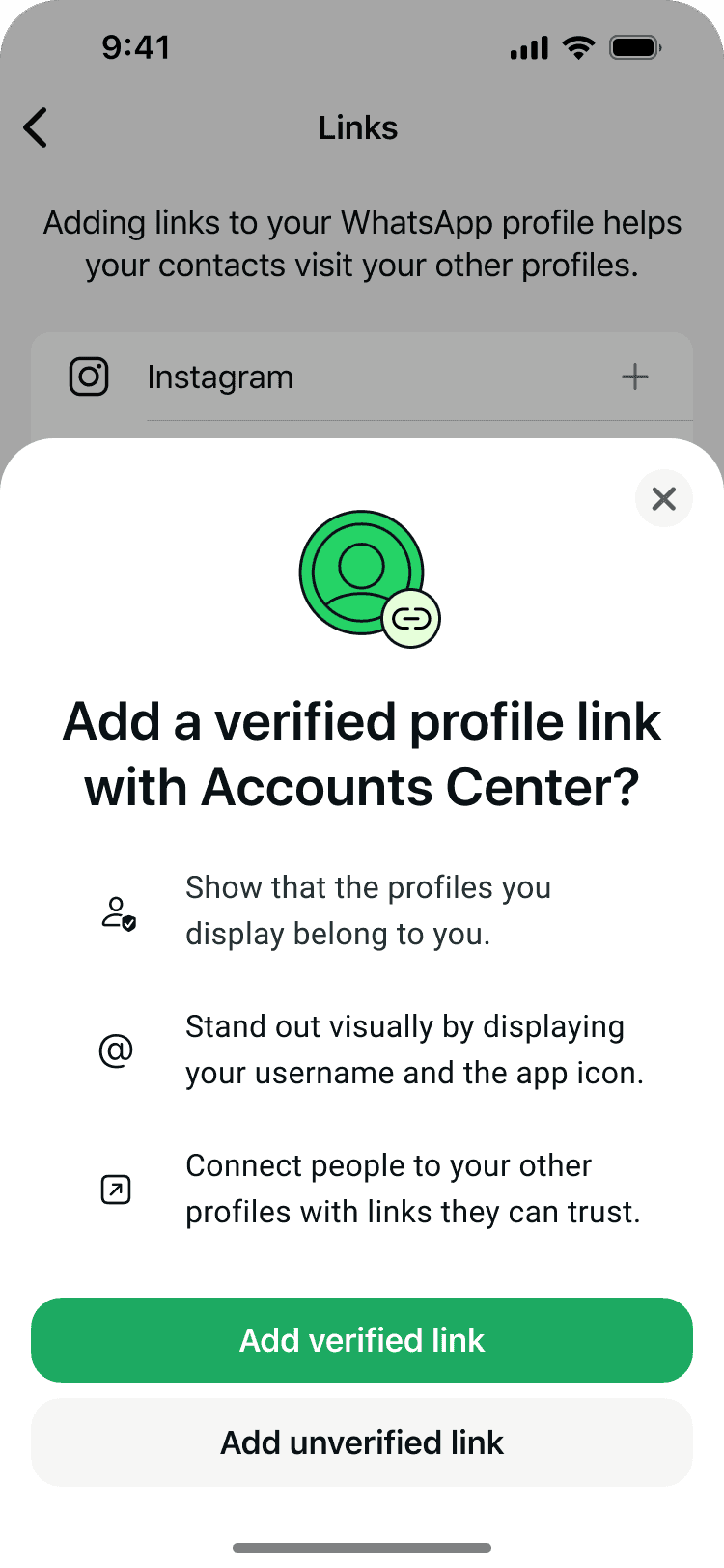
Adding a verified link
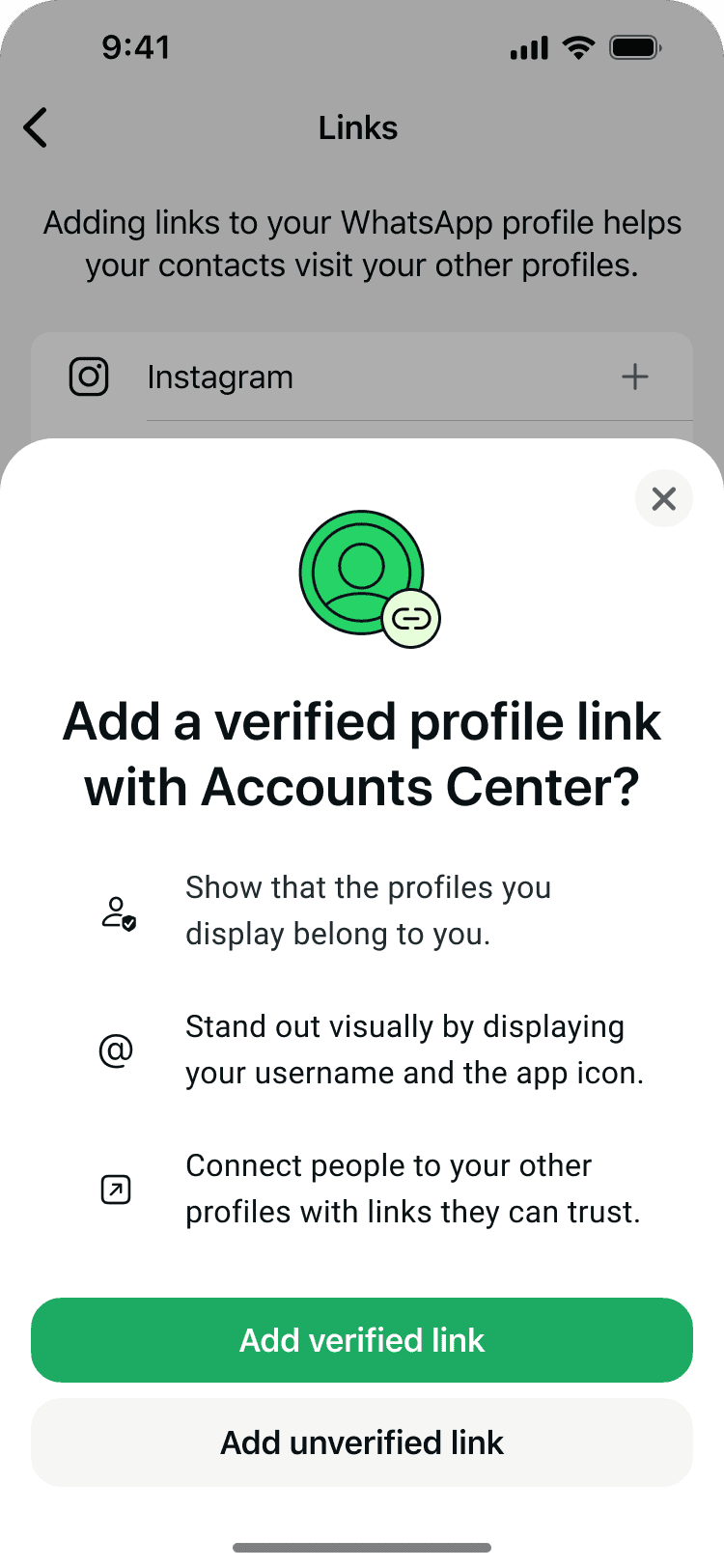
When a user taps the + button, a bottom sheet appears highlighting the value proposition of adding a verified profile link. If they choose to proceed, they are guided through a linking flow to connect their WhatsApp account to the same Accounts Center as their Instagram. Once complete, the connected account is officially displayed as a “Verified Link” within their settings.



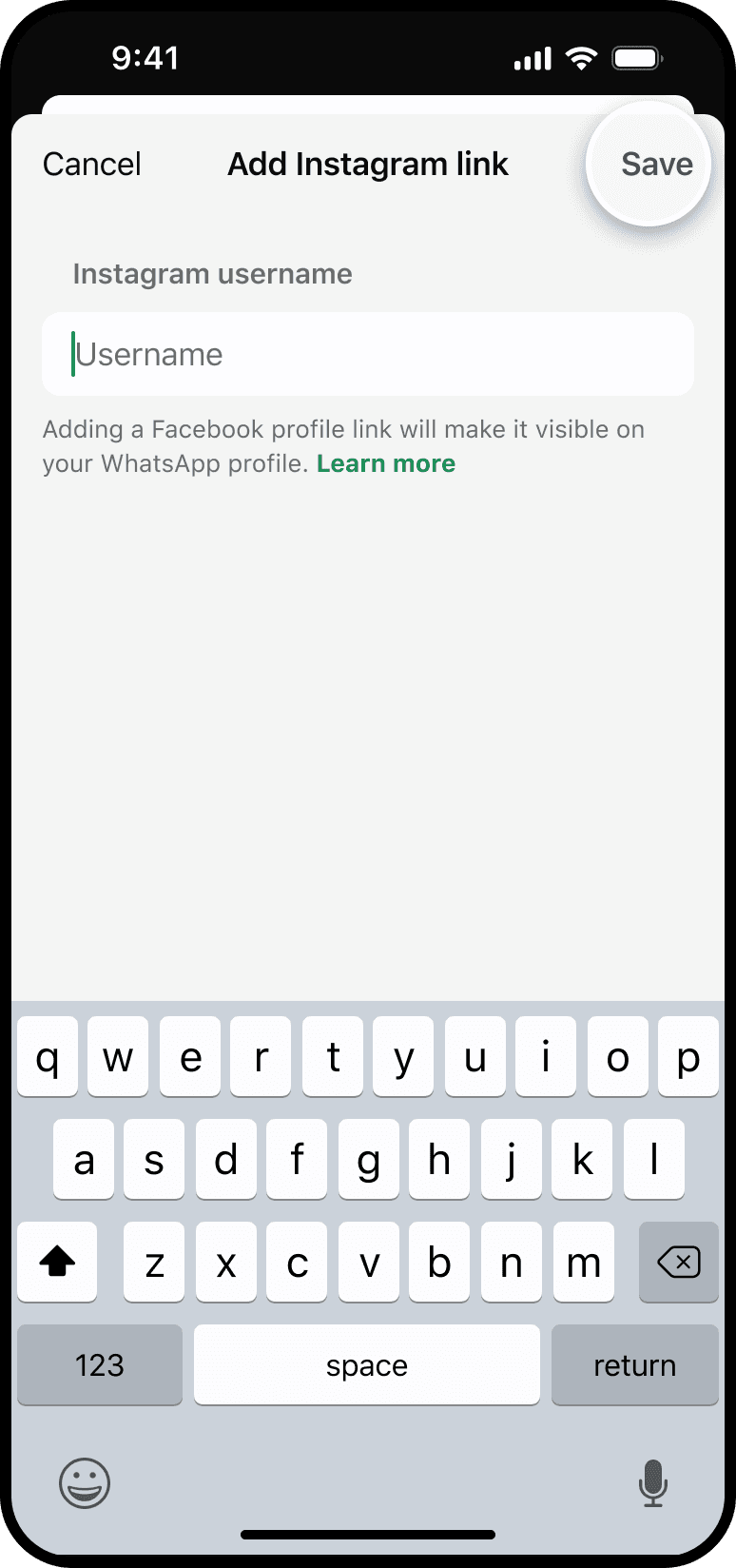
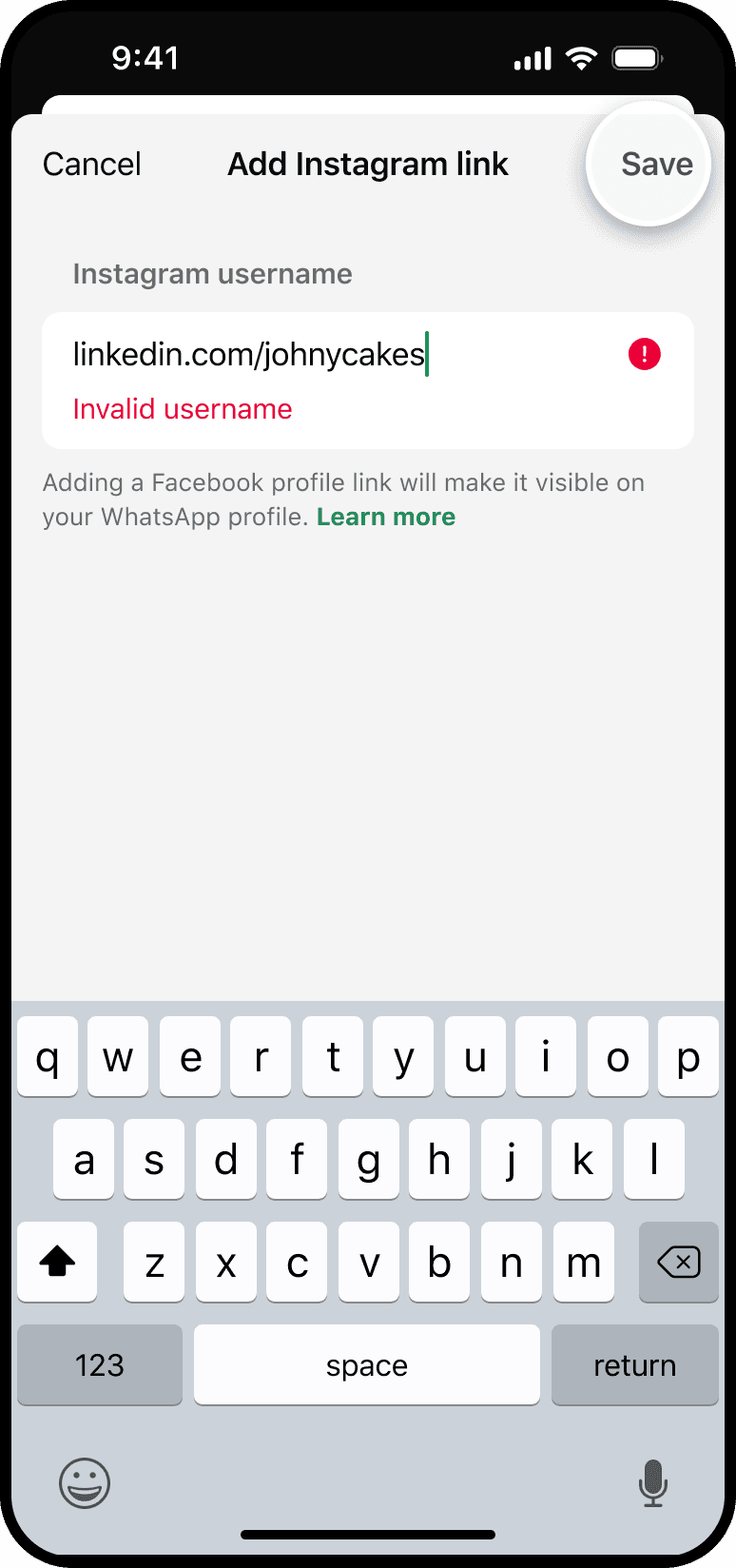
Adding an unverified link
In the original flow, people could tap “Add unverified link” and type a username manually. Validation checked the username format, but did not prove ownership: a Taylor Swift fan could link to Taylor Swift’s profile instead of their own. This path is preserved here as historical context. The completed migration retired unverified links in favor of owned, verified profiles.


Verifying a link
When a user has an unverified link on their Settings page, they’ll see a green “Verify Link” button next to it. Tapping this opens an upsell bottom sheet highlighting the benefits of verification. If they tap “Yes, verify links” to proceed, they’ll enter the standard flow to link their WhatsApp and Instagram accounts. Once completed, they’ll be returned to the Settings page, where the status will now show as “Verified Link.”


Reorder Links
From the Links page, open a profile’s three-dot menu and choose Reorder links. The links enter reorder mode, with drag handles on the right. Press and drag a row, then tap Done to save the new order. The four screens show the complete sequence, with laurapech moving from first to second. This earlier interaction is retained here to demonstrate reordering; it is no longer available in the current product. Try it: tap a three-dot menu, the Reorder links row, or the drag handles to open that step in the interactive prototype.


Remove Links
To remove a profile link, open its three-dot menu and choose Remove link. The link disappears immediately and a confirmation message appears; no edit mode opens. The other link stays in place. Try it: tap the three-dot menu or Remove link to open the removal flow in the interactive prototype.


Upsells
To drive feature adoption, we introduced targeted upsells within the user’s “Me” tab that dynamically adapt based on their account state. When a user navigates to their profile, the system evaluates their setup and serves tailored content: prompting those with no linked accounts to add their first profile, serving specific platform calls-to-action like “Add Instagram” if a compatible app is detected, or encouraging users with existing unverified links to complete the standard verification flow.


Viewer’s perspective
When someone views your profile, links are displayed with a maximum of two visible at any time. Tapping a link directs the user straight to the corresponding Instagram or Facebook profile. We have also added an “Info” button next to the verified links. Tapping this explains what a verified profile link is and includes a call-to-action button. If tapped, this button seamlessly routes users into the standard verification flow so they can link their own accounts.


Reciprocal links on other surfaces
I also designed the cross-surface experience for reciprocal linking across Meta apps, such as adding a WhatsApp link to an Instagram or Facebook page. The challenge was that each app describes the same feature differently. Instagram calls links “banners,” Facebook calls them “confirmed links,” and each has its own design system and expectations around trust. Working with partner design teams, I created shared guidelines so the feature worked the same way everywhere under the hood, while the wording adapted to feel native to each app.
Once a user links their accounts within Accounts Center, a contextual option dynamically appears under the Instagram banner settings, allowing them to add a direct WhatsApp link to their profile in just a few taps. The term “banner” aligns with the visual, profile-centric layout where links appear as surface-level headers.


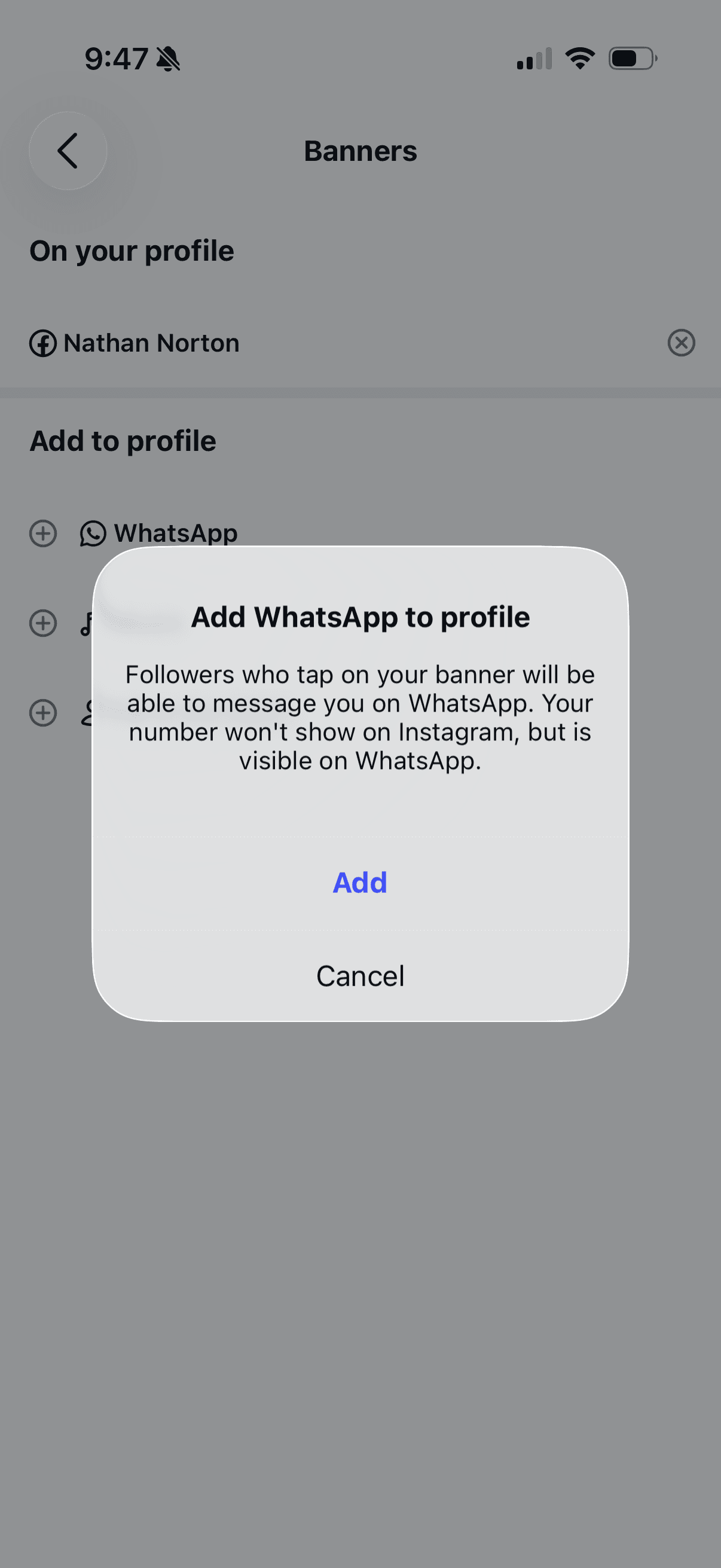

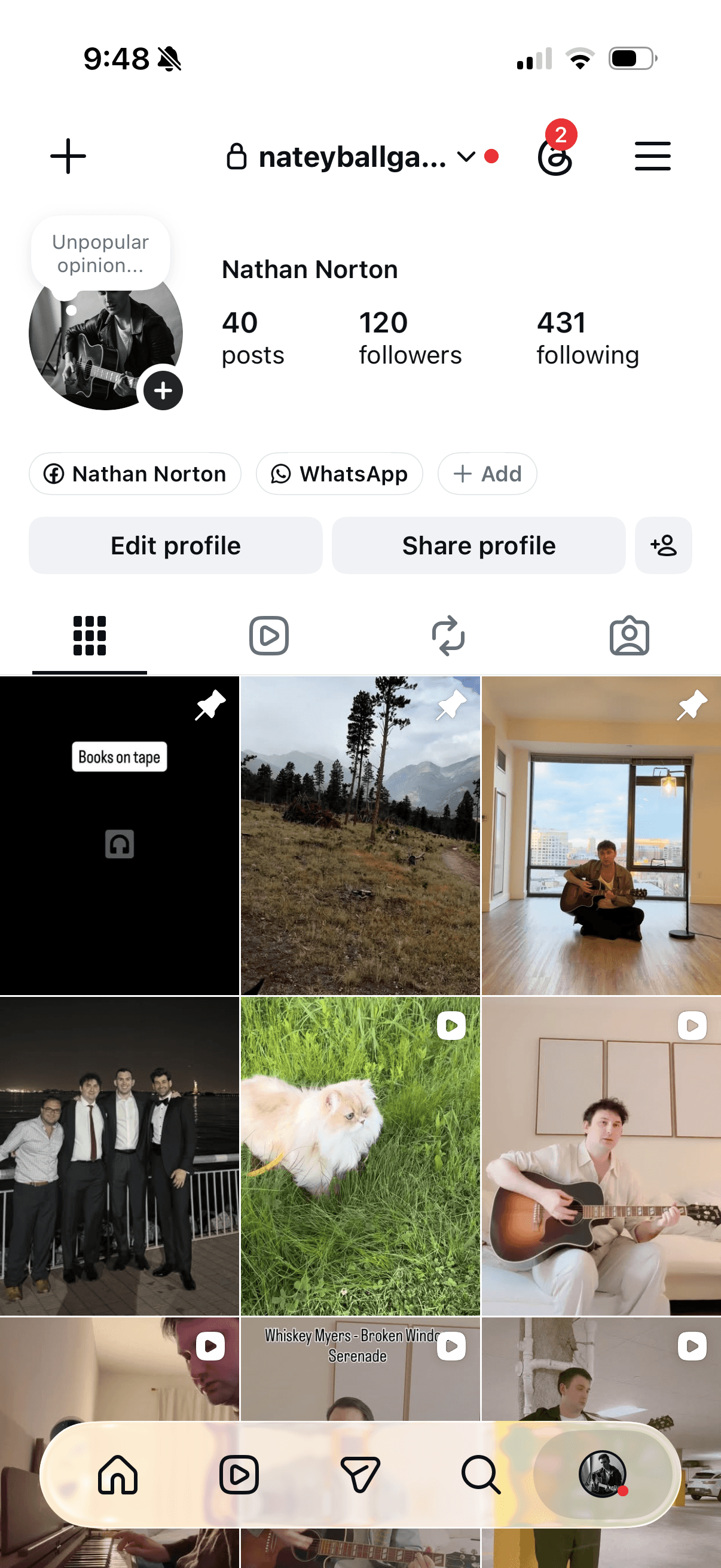
Similar to Instagram, once a persons WhatsApp is linked to Accounts Center, a contextual option dynamically appears under the Facebook social media link section, allowing them to add a direct WhatsApp link to their profile in just a few taps. Facebook uses the term “confirmed link” which leans into Facebook’s trust and identity framework, focusing on the validated state of the URL.


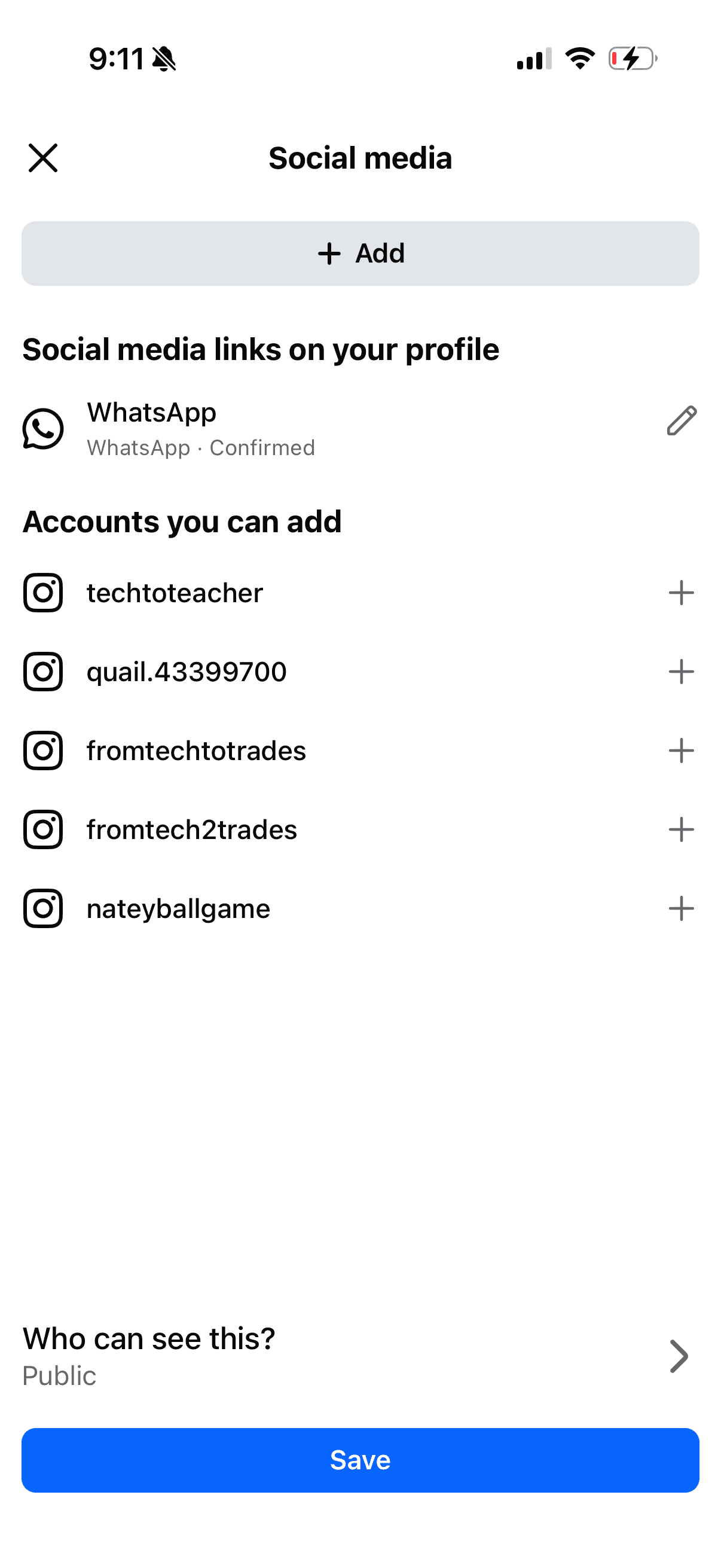


Accounts Center
To make sure the mental models of each app aligned, I collaborated with the Settings team to build a framework. Guidelines distinguish between when a link is first displayed on a profile (using the term add) and the management of that link’s visibility (using the term show).


Legal constraints
One of our main challenges involved navigating the legal constraints around WhatsApp’s privacy features and disclosures. WhatsApp’s primary value proposition is end-to-end encrypted, private messaging. Linking a WhatsApp account to Facebook and Instagram requires strict legal compliance. Our legal team required us to be explicit about how a user’s phone number would be displayed.
For the initial launch, we decided not to show the phone number publicly on other surfaces; instead, the social media link or banner simply reads “WhatsApp.” However, we had to ensure it was entirely clear to users that once someone taps that banner and redirects to WhatsApp, that external user will then be able to see the phone number associated with the account.
Content Guidelines Summary
A quick-reference guide I wrote to keep link terminology consistent across every surface: WhatsApp, Instagram, Facebook, and Meta Account Settings. It covers the correct phrasing, the reasoning behind each choice, and the patterns to avoid.

Prototype
Try out the Verified Profile Links prototype
If you would like to try out the WhatsApp verified profile links prototype tap the link below.
Verified Profile Links Prototype ↗
Results
250K
Instagram Links
200K
Facebook Links
2.53M
WhatsApp Links
1.5M
Additional projected links per platform
Migration and next steps
We completed the migration from unverified links to verified profiles. When an existing Instagram or Facebook link matched the person’s verified profile, we migrated it automatically where possible or invited them to verify through a notification or upsell. When the destination did not match an owned profile—for example, a fan linking to Taylor Swift—we sent a deprecation notice and asked the person to choose one of their own verified profiles. The current product no longer supports unverified links; the earlier flows shown above document the transition.
Additionally, we plan to introduce WhatsApp usernames alongside the option to display phone numbers. While this has been part of our core roadmap from the beginning, the legal constraints outlined above require further cross-functional alignment before we can officially move forward with implementation.